
Download GenPage – AI‑Powered Personalized Landing Page Builder
Overview
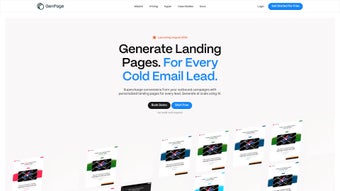
GenPage is an AI‑driven, browser‑based platform that eliminates the tedious, manual work of building individual landing pages for each prospect. In a market where personalization directly correlates with higher engagement, GenPage leverages machine‑learning algorithms to read lead data—such as domain name, logo URL, brand colors, and even tone of voice—from CSV files or live CRM connections. The system then automatically crafts a fully responsive landing page that mirrors the prospect’s own branding, creating a sense of familiarity that typical generic outreach lacks.
Because everything runs in the cloud, users can access the tool from any modern browser on Windows, macOS, Linux, Android, or iOS without installing additional software. The platform is designed for solo entrepreneurs, sales teams, and full‑scale marketing agencies alike, offering a scalable solution that can generate hundreds of custom pages with a single click. By delivering hyper‑personalized experiences at scale, GenPage promises to boost click‑through rates, improve conversion metrics, and ultimately shorten sales cycles while maintaining data security and GDPR compliance.
Key Features, Pros, and Cons
GenPage packs a robust set of capabilities that address every stage of the personalized landing‑page workflow—from data ingestion to performance analytics. Below is a detailed look at the core features, followed by an honest assessment of the platform’s strengths and its current limitations.
- AI‑Generated Design Matching Lead Branding: The engine extracts brand assets (logo, color palette, typography) from the lead’s website or supplied files and automatically applies them to a pre‑built template, producing a page that looks native to the prospect’s brand.
- Bulk CSV Import & API Sync: Upload up to 10,000 leads in a single CSV or connect directly to HubSpot, Salesforce, or custom APIs for real‑time synchronization, saving countless hours of manual entry.
- Drag‑and‑Drop Section Library: Choose from high‑conversion modules—testimonials, feature grids, lead‑capture forms—and place them anywhere on the page without touching code.
- One‑Click Cold‑Email Integration: Each generated page receives a short, trackable URL that can be embedded in Mailshake, Lemlist, Woodpecker, or even LinkedIn messages with zero friction.
- Multi‑Channel Flexibility: The same URLs work across email, QR codes at events, SMS campaigns, and social media posts, ensuring consistent branding across touchpoints.
- Real‑Time Analytics Dashboard: Monitor page views, average time on page, click‑throughs, and form submissions per lead, enabling data‑driven optimization.
- Responsive Design Engine: Every page automatically adapts to desktop, tablet, and mobile screens, guaranteeing a polished look on any device.
- Secure Hosting & GDPR/CCPA Compliance: All pages are served over TLS 1.3, stored on encrypted servers, and include data‑processing agreements for EU and US privacy regulations.
- Instant Global Updates: Modify a template or branding rule once, and the change propagates to all existing pages in seconds.
- Free Trial & Tiered Pricing: Start with a 14‑day free trial; paid plans scale with lead volume and unlock advanced analytics, API access, and premium support.
Pros
- Creates hyper‑personalized landing pages at scale with minimal manual effort.
- AI accurately reproduces lead branding, increasing credibility and trust.
- Bulk import and API sync dramatically reduce data‑entry time.
- Seamless integration with popular cold‑email and CRM tools.
- Responsive design ensures optimal display on any device.
- Secure, GDPR‑compliant hosting protects both user and prospect data.
- Real‑time analytics provide actionable insights for campaign refinement.
- One‑click global updates keep all pages consistent without extra work.
Cons
- Requires a stable internet connection; offline editing is not supported.
- Advanced AI customization (e.g., tone‑adjustment, multi‑language) is limited to higher‑tier plans.
- Initial branding rule setup may feel steep for users new to design systems.
- Pricing for enterprise‑level plans can be a barrier for very small startups.
Installation, Setup, and Compatibility
GenPage is delivered as a pure SaaS solution, meaning there is no traditional software download or installation required. The onboarding process is straightforward and can be completed in under ten minutes, even for users with limited technical background.
- Create Your Account: Visit genpage.io, sign up with an email address or use single‑sign‑on (SSO) via Google or Microsoft. An activation link is sent instantly for verification.
- Select a Plan: Choose the 14‑day free trial or a paid tier that aligns with your expected lead volume. All tiers include unlimited page creation; higher tiers add premium analytics, priority support, and API access.
- Import Lead Data: Navigate to the “Leads” tab, click “Import CSV,” and map your columns (name, email, domain, logo URL, etc.). GenPage validates the file and highlights any missing required fields.
- Define Branding Rules: In the “Branding” section, set default fonts, primary/secondary colors, and logo placement. These defaults act as fallbacks when a lead’s own assets are unavailable.
- Generate Pages: Click “Create Pages.” The AI engine processes each record, producing a unique, SEO‑friendly URL. You can preview, edit, or approve each page before publishing.
- Integrate with Outreach Tools: Copy the generated short links and paste them directly into Mailshake, Lemlist, LinkedIn InMail, or QR code generators for offline events.
- Track Performance: Use the built‑in analytics dashboard to monitor clicks, form submissions, and conversion rates per lead. Export reports in CSV or PDF for stakeholder sharing.
Compatibility: GenPage runs on any modern browser (Chrome, Edge, Firefox, Safari) across Windows, macOS, Linux, Android, and iOS. No plugins, extensions, or local installations are needed, making it ideal for remote teams, traveling sales reps, and agencies with distributed workforces.
Frequently Asked Questions & Conclusion
Can I use GenPage without uploading a CSV file?
Yes. Leads can be added manually one‑by‑one, or you can connect GenPage to your CRM via the native API integration for automatic, real‑time synchronization.
Is there a limit to the number of landing pages I can create?
The free trial allows up to 200 pages. All paid plans provide unlimited page creation, with higher tiers offering faster rendering speeds and dedicated support.
How does GenPage keep my data secure?
Data is encrypted both at rest and in transit using TLS 1.3. GenPage complies with GDPR, CCPA, and SOC 2 standards, and you can request complete data deletion at any time via the account settings.
Can I edit the AI‑generated design after it’s created?
Absolutely. Each page opens in a drag‑and‑drop editor where you can replace images, adjust copy, swap sections, or modify the color scheme while preserving the original branding logic.
Do I need any technical knowledge to operate GenPage?
No coding is required. The intuitive UI is built for marketers and sales professionals, and the AI handles the heavy lifting. A short onboarding video and knowledge base are provided for new users.
GenPage bridges the gap between mass outreach and truly personalized experiences. By automating the creation of lead‑specific landing pages that reflect each prospect’s brand identity, it eliminates the “one‑size‑fits‑all” approach that hampers engagement in modern sales funnels. The combination of AI‑driven design, seamless CSV import, robust analytics, and secure cloud hosting makes GenPage a must‑have tool for any team aiming to increase conversion rates without adding manual workload.
If you’re ready to transform your cold‑email campaigns into high‑impact conversations, sign up for the free 14‑day trial today. Experience the power of AI‑personalized landing pages, watch your response rates climb, and stay ahead of the competition with a tool that scales as fast as your business grows.
GenPage delivers on its promise of rapid, personalized landing page creation. The AI is impressively accurate, and the integration with email tools is frictionless. While the premium tiers are a bit pricey for very small teams, the ROI from higher engagement more than justifies the cost.



.png)



